
Field service and trades
Two-way radios for field service techs
Your HVAC, plumbing and electrical techs spend the day in attics, on roofs and between jobs, and dispatch spends it trying to reach them. We put the office, the techs and the warehouse on Zello channels over a multi-carrier SIM, with a live map of where every tech is.
Short answer
How does dispatch reach a tech who is on a roof or under a house?
The problem
What gets in the way
A no-heat call comes in at seven in the morning and dispatch has no idea which tech is closest, so the office starts phoning around. The tech who could take it is in an attic with gloves on and a phone in a back pocket, and the call goes to voicemail. Helpers wait at the van for the lead to say what to bring in. Half the afternoon goes on parts: a tech needs a 40/5 capacitor or a pressure-reducing valve, the warehouse is across town, and nobody knows another van two streets away has one on the shelf. After hours, the on-call tech gets a text, a voicemail and a missed call from three different people. On a new build, the GC and the other trades are on yet another group text. None of it leaves a record the office can check when a customer disputes a visit.
How we set it up
How the channels are set up
We set up channels the way your shop already runs: dispatch, service techs, install crews, parts and warehouse, on-call and supervisors.
A dispatcher on a Zello Dispatch Hub seat sees every tech on a live map, sends the closest one to a burst pipe or an outage, and can reach one tech, one crew or the whole service channel. A tech on a roof, in an attic or in a crawlspace presses one large push-to-talk button and is talking to the office. When someone needs a part, one call on the parts channel reaches the warehouse and every van at once, so the tech with a spare on the truck can answer before anyone drives across town. Helpers and apprentices on screen-free radios reach their lead without a phone, and on a shared job site we can add the GC and the other trades to a job channel for as long as the work runs. After hours, the on-call channel reaches whoever is on call that week. On rugged phones the same device runs your field service app, so a tech carries one device for calls, the job ticket and push-to-talk. On Managed Zello Plus, Message Vault keeps a searchable record with transcripts, and breadcrumb history shows where a tech was if a customer disputes a visit.
Example channels and calls
What each channel sounds like
Sample traffic, written to show how each channel gets used. Your channel names and groups are set up to match your shop.
DispatchDispatchers and every tech on shift
“No-heat call on Maple Avenue, elderly homeowner. Mike, you’re four minutes out. Can you take it?”
Service techsService techs and the service manager
“I’m in the attic at the Johnson job. Blower motor’s seized, so I’ll be here another hour.”
Install crewInstall leads, helpers and apprentices
“Condenser’s set on the pad. Jordan, bring the line set and the vacuum pump in from the van.”
Parts and warehouseWarehouse staff and every van
“Anyone have a 40/5 capacitor on the truck? I’m on Elm Street and the warehouse is twenty minutes out.”
On-callThe on-call tech and the after-hours dispatcher
“Burst pipe under a kitchen sink on Ridge Road. Water’s off at the main. Can you head over?”
SupervisorsService managers and field supervisors
“Panel upgrade on Fifth needs a second electrician after lunch. Who can free someone up?”
Typical use cases
Where it gets used day to day
Sending the closest tech to a no-heat, burst pipe or outage call
Calling dispatch from a roof, attic or crawlspace with one button
Finding a part on another van before a run to the warehouse
After-hours on-call cover without a phone tree
Helpers and apprentices reaching the lead tech
Working with the GC and other trades on a shared job site
Install crews checking in on long jobs
Checking a disputed visit against transcripts and location history on Plus
The radios
A typical field service setup
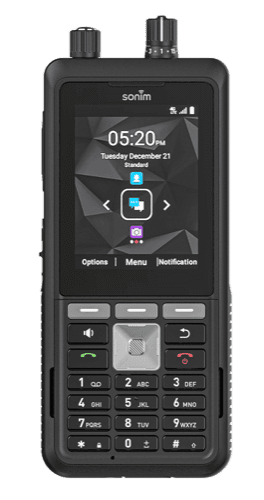
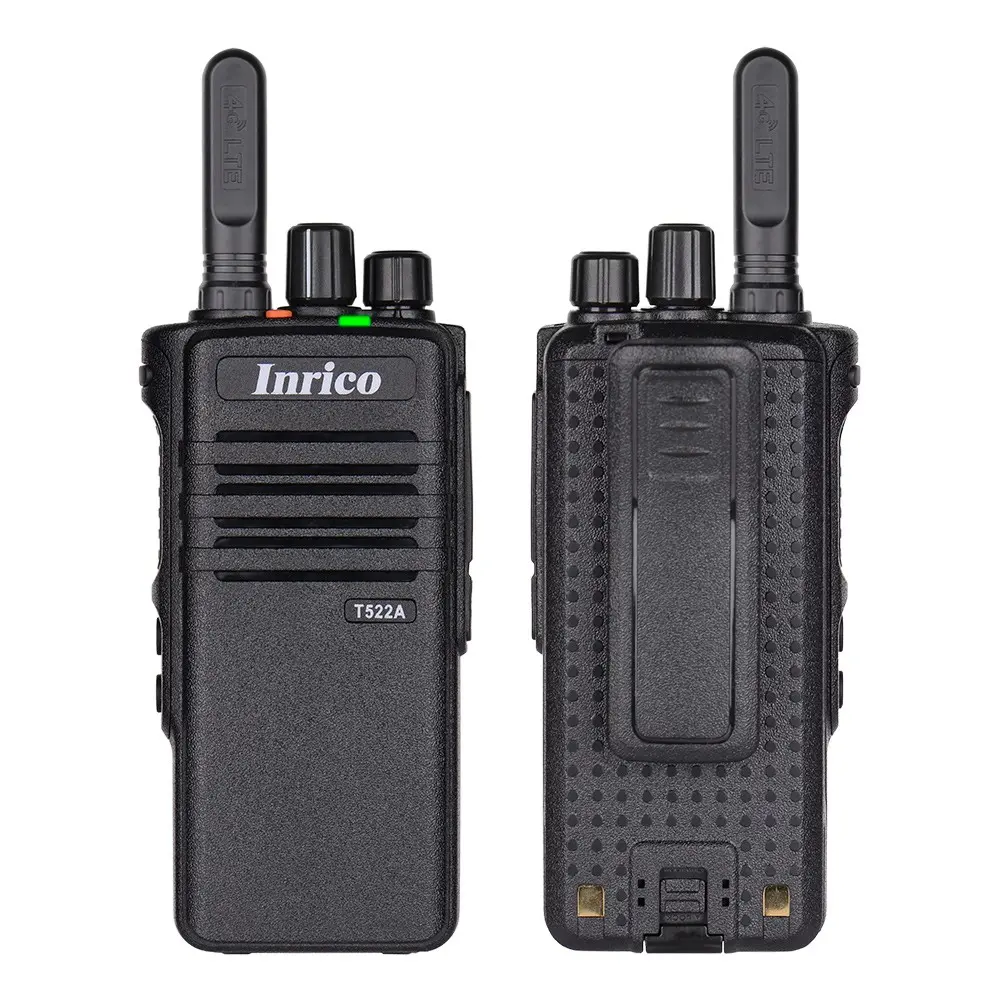
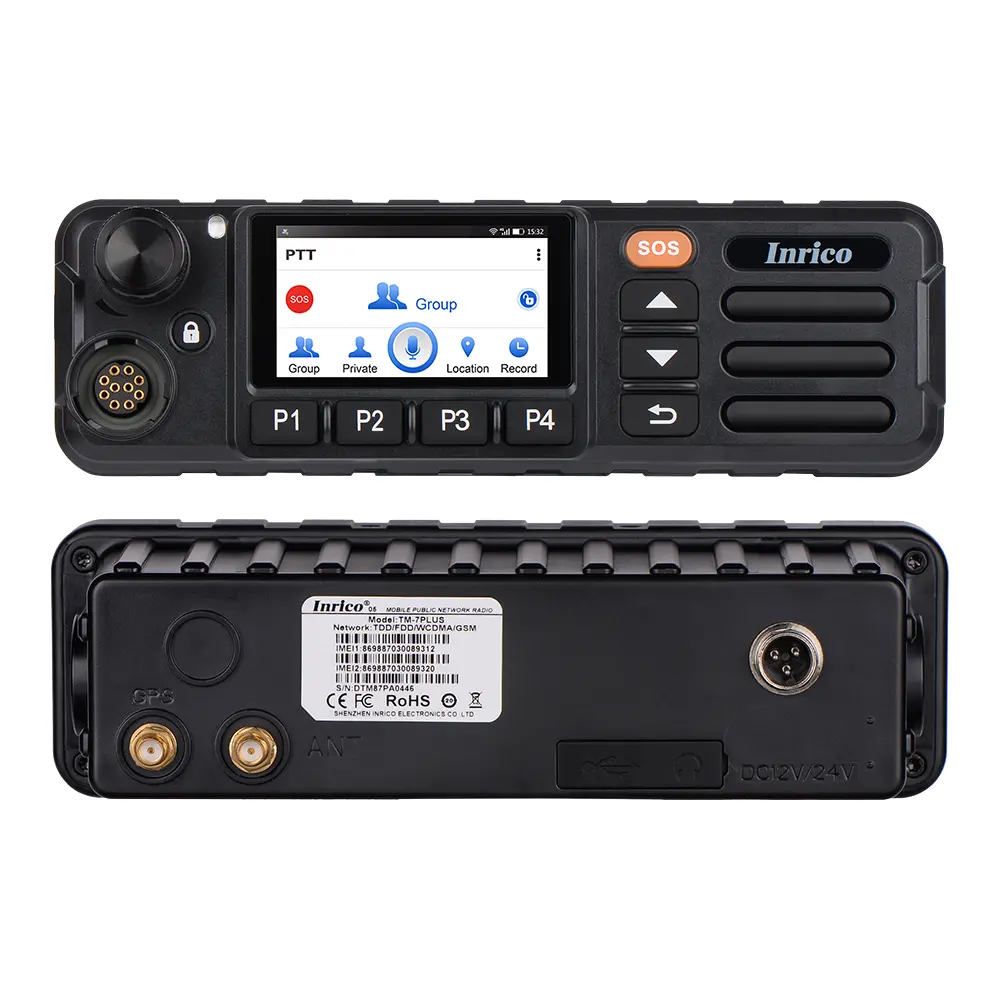
Service techs who live in a field service app usually carry the Samsung Galaxy XCover7 Pro or the Sonim XP5plus, so the job ticket and push-to-talk are on one device. Helpers and apprentices take the screen-free Inrico T522A, and the Inrico TM-7Plus goes in the vans. A Zello Dispatch Hub seat in the office reaches every tech at once and shows who is closest to the next call.
Already run radios in the shop? Radio interoperability keeps them in the conversation. See business two-way radios for every handheld and vehicle option.

Rugged Android smartphone
Samsung Galaxy XCover7 Pro
A full-screen Samsung smartphone, toughened up, with a programmable PTT key.
$599.00
Rugged PTT device
Sonim XP5plus
Feels like a radio, runs the Zello app. Physical buttons, no hunting on a screen.
$499.00
Handheld radio
Inrico T522A
No screen, one big button. The simplest radio to hand someone.
$220.00
Vehicle and mobile
Inrico TM-7Plus
A cab-mounted radio with a touchscreen, a 20 W speaker and camera inputs.
$299.00
Recommended solution
What we would recommend
Managed Zello Core covers most shops: channels, live location and device management. Choose Managed Zello Plus when you want transcripts in Message Vault and breadcrumb history to check a disputed visit, or Emergency Alerts that send a tech’s location to the channels you choose. Emergency Alerts are not a substitute for 911 or code-required life-safety systems.
Techs who work from a field service app can carry one rugged phone for calls, apps and push-to-talk on Managed Zello + Unlimited Talk, Text & Data, from $64.95 per user per month on rugged phones only. Dispatchers add a Zello Dispatch Hub seat at $19.95 per dispatcher per month. Compare Core and Plus for the full feature list.
Questions
Questions service contractors ask us
What owners and service managers want to know before they move the shop off group texts and cell calls.
Do we need an FCC license?
No. Zello carries voice over cellular and Wi-Fi on our multi-carrier SIM, so there is no frequency to license and no repeater or antenna to install. The same devices work in every town you serve.
Can techs use their own phones?
Yes. Zello Work runs on iOS and Android, so a tech can sign in on a personal phone and join the same channels. Each user is billed on Managed Zello Core or Plus either way. Device management and our multi-carrier SIM come with the phones and radios we supply, not with personal phones.
Does it work with ServiceTitan or Housecall Pro?
It runs alongside them. On a rugged Android phone, a tech can keep ServiceTitan, Housecall Pro or another field service app open for the job ticket and use Zello for push-to-talk on the same device. We do not offer an integration between Zello and those apps, so jobs and voice messages stay in their own systems.
What does it cost?
Managed Zello Core is $24.95 per user per month and Plus is $34.95. On rugged phones, Managed Zello + Unlimited Talk, Text & Data starts at $64.95 per user per month, so one device covers calls, apps and push-to-talk. A Zello Dispatch Hub seat is $19.95 per dispatcher per month. Hardware is priced separately and quoted with your plan.
What about basements and dead spots?
Coverage depends on the site. Zello needs a data connection, and a multi-carrier SIM reduces the gaps but does not remove them, so a deep basement or a concrete mechanical room can still lose signal. Where the building has Wi-Fi, Zello can use it. We run a free coverage check against your service area on every quote.
Related
Related industries

Construction
Trades, deliveries and safety compete for the same channel. Managed Zello splits them into channels we restructure as the site changes, with no repeater to move.
Read more

Facilities and property management
Maintenance teams cover several buildings on one managed Zello account, reachable at every property without a radio system at each site.
Read more

Utilities
Field crews, meter readers and the control room on one Zello network, across a whole service territory, on rugged radios and phones.
Read more
Get started
Tell us how your team works today
Send us your service area, how many techs and vans you run, and how dispatch reaches them today. We will come back with coverage, hardware and pricing in one document.