
Retail
Two-way radios for retail stores
A customer asks a question and the answer is in the stockroom, or with a manager three aisles away. We put your floor, stockroom, pickup and management on Zello channels, so staff get an answer and stay with the customer.
Short answer
Can every store be on one account?
The problem
What gets in the way
Most store questions have quick answers, but the person who knows is somewhere else. An associate walks to the stockroom or goes looking for a manager and the customer is left waiting, or leaves. Overhead pages interrupt everyone in the building to reach one person. Conventional radios can be bulky, need their own charging routine, and often do not reach cleanly through a big building or out to the loading dock. Across a chain, each store ends up with a different setup and no one has a single place to manage it.
How we set it up
How the channels are set up
We set up channels by department or by function: sales floor, stockroom, curbside pickup, loss prevention and managers.
An associate with a customer asks the stockroom channel whether an item is in the back, and the answer comes while they are still standing there. A manager can be called to a register without an overhead page. Staff wear an earpiece, so the traffic stays out of the aisles. Radios run over cellular and store Wi-Fi, which helps in large buildings, and we confirm coverage at your addresses first. Regional and district managers can be added to a channel across stores, on one account and one bill. On Managed Zello Plus, Translations help multilingual teams, and AI Digests can summarize a busy channel for a manager who was away from it.
Example channels and calls
What each channel sounds like
Sample traffic, written to show how each channel gets used. Your channel names and groups are set up to match your crew.
Sales floorAssociates and the floor lead
“Lines are building up front. Can two people from the floor open registers?”
StockroomStockroom staff and associates
“Do we have the gray jacket in a medium in the back? Customer’s waiting in aisle 6.”
Curbside pickupPickup staff and the online order desk
“Customer just pulled into spot 3. Is that order bagged?”
Loss preventionLoss prevention and managers
“Stockroom door by the dock was propped open. Can you take a look?”
ManagersStore and department managers
“Manager needed at register 4 for a price override.”
Typical use cases
Where it gets used day to day
Stock checks while the customer waits
Calling a manager to a register for an override
Curbside and online order pickups
Loading dock and delivery arrivals
Loss prevention calls between floor and office
Queue-busting when lines build
Opening and closing routines
Store-wide calls during peak periods
The radios
A typical store setup
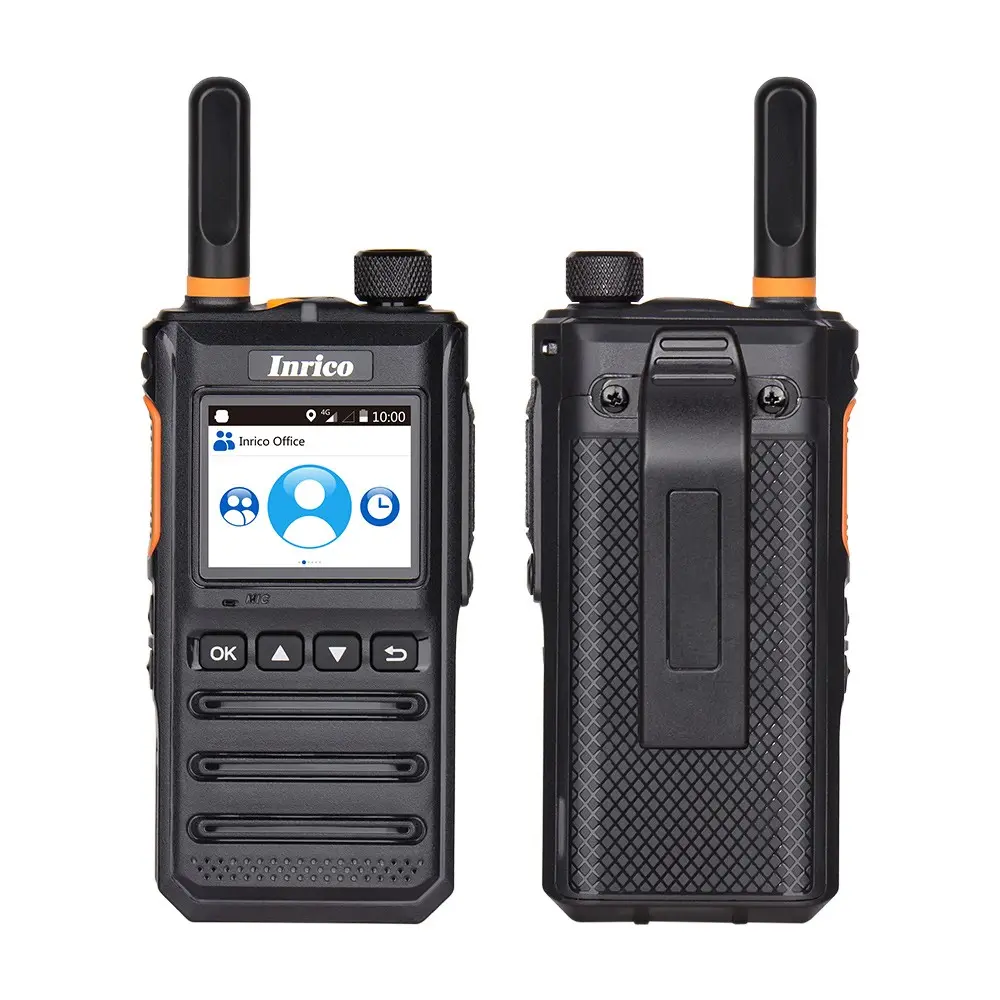
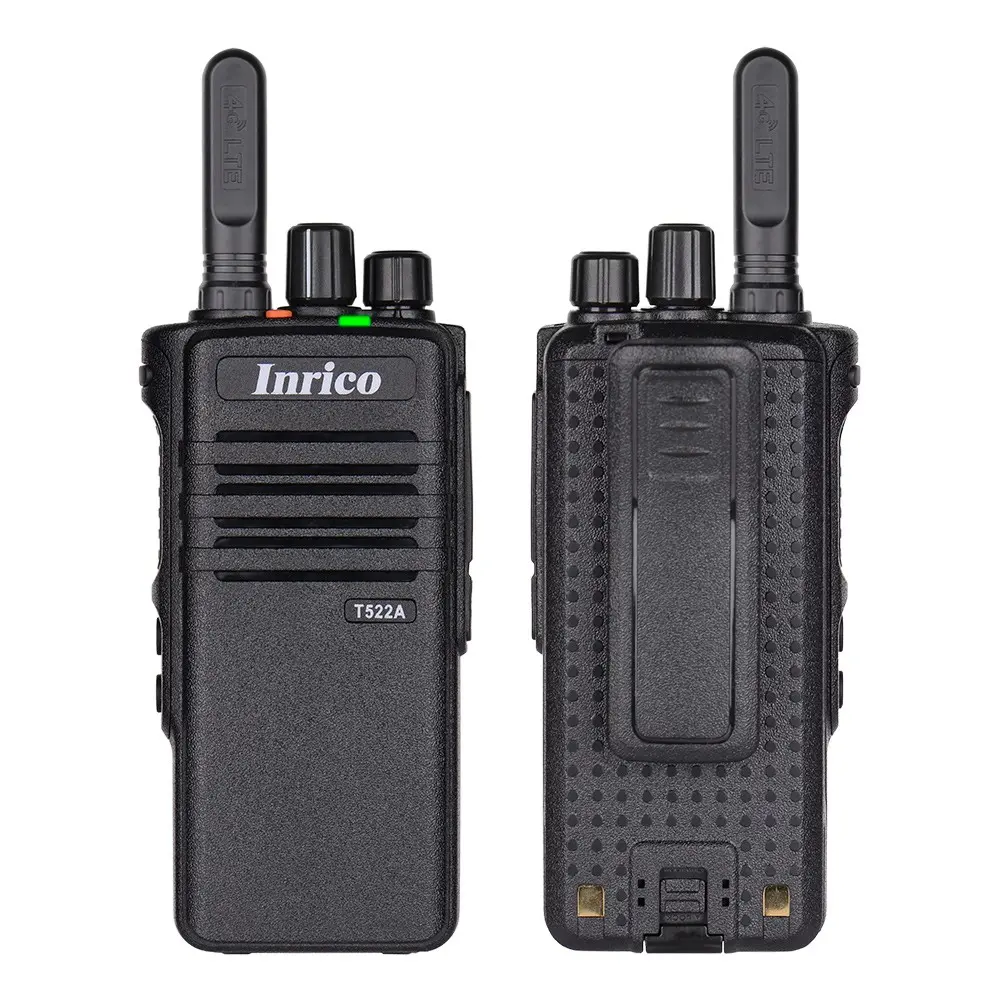
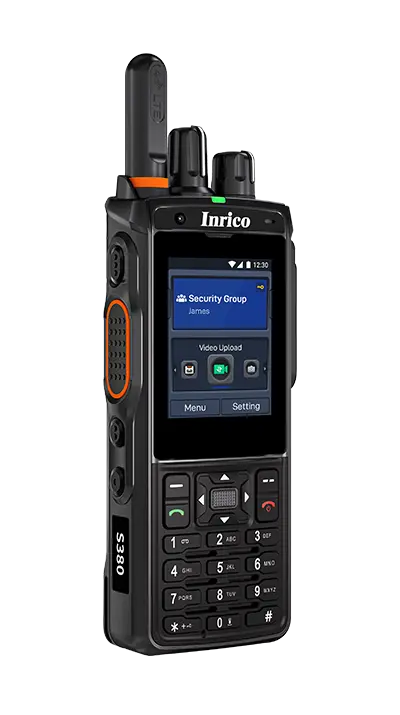
Floor and stockroom staff usually carry the Inrico T640A or the screen-free Inrico T522A with an earpiece, and managers the Inrico S380. A Zello Dispatch Hub seat in the store office reaches any department at once, and Managed Zello Core includes live location, which helps a large-format store find the nearest person.
Stores with radios they already like can bring them along through radio interoperability. See business two-way radios for every handheld option.
Recommended solution
What we would recommend
Managed Zello Core on small two-way radios is the usual fit for a store. Groups with multilingual teams or a loss prevention function often choose Plus, and a store that already has staff phones can run Zello Work on compatible devices.
Questions
Questions retail teams ask us
What store and operations managers want to know before they replace the radios or the overhead page.
Will customers hear the radio traffic?
Not if staff wear an earpiece. Each department also has its own channel, so people only hear what concerns them, and fewer requests go out over the overhead PA.
Do they work at the back of a large building?
Radios use both cellular and Wi-Fi, which usually covers stockrooms and docks that a single radio repeater struggles with. We check coverage at your addresses before you commit, and test in the building where signal is a concern.
Can we use phones instead of radios?
Yes. Zello Work runs on iOS and Android as well as on radios, and you can mix them. We usually suggest a dedicated device for anyone who needs a button they can press without looking.
Can we add stores quickly?
Yes. A new store is a set of channels on the same account, and radios arrive with those channels loaded. There is no repeater or antenna to install first.
What happens when radios get lost or staff change?
Every radio is enrolled in device management, so we can lock, wipe or locate it. When someone leaves we remove them from the network, and the device is ready for the next person.
Related
Related industries

Hospitality
Housekeeping, engineering, valet and the front desk need each other quickly and quietly. Zello on earpiece-ready radios keeps that traffic out of guests’ earshot.
Read more

Facilities and property management
Maintenance teams cover several buildings on one managed Zello account, reachable at every property without a radio system at each site.
Read more

Automotive dealers
Sales, service, parts, detail and the lot on separate Zello channels, so a car or a set of keys gets found without paging the whole store.
Read more
Get started
Tell us how your team works today
Send us your store list and how staff reach each other today. We will come back with coverage, hardware and pricing in one document.