
Senior living
Two-way radios for senior living communities
When a resident needs something, the right person may be two floors away. We put care, dining, housekeeping and maintenance on separate Zello channels, so requests reach the right team quietly and staff spend less time walking the building to find each other.
Short answer
Is this quiet enough for residents’ rooms?
The problem
What gets in the way
A senior living community is a home, a kitchen, a housekeeping operation and a maintenance shop all in one building, usually with long corridors and several wings. Staff lose time walking to find a colleague or a supervisor. Overhead pages disturb the people who live there, and phones go unanswered when a caregiver has their hands full. New staff need to learn who to call for what, and turnover means they keep having to. During a drill or a real incident, getting one message to everyone quickly is harder than it should be.
How we set it up
How the channels are set up
We set up a channel per team: care, nursing, dining, housekeeping, maintenance and the front desk, plus a community-wide channel for anything everyone needs to hear.
A caregiver asks for a second person to help with a transfer and the nearest colleague answers. The front desk reaches maintenance without paging the building. Staff wear earpieces, and channel names tell a new starter who is who from day one. Radios work over Wi-Fi and cellular, which helps in buildings with long corridors and dense walls, and we check coverage before you buy. On Managed Zello Plus, an Emergency Alert sends a staff member’s location to the channels you choose, and Translations help multilingual teams. Emergency Alerts are not a substitute for 911, your nurse call system or code-required life-safety systems.
Example channels and calls
What each channel sounds like
Sample staff traffic, written to show how each channel gets used. Examples use room numbers only, never names or medical details.
CareCaregivers and nurses
“I need a second person in room 214 for a transfer.”
DiningDining room and kitchen staff
“East wing trays are on the way up. Second seating starts in ten minutes.”
HousekeepingHousekeepers and the supervisor
“Rooms 301 through 308 are finished. Starting on the linen closet now.”
MaintenanceMaintenance staff and the front desk
“Hall light by room 122 is fixed. Heading to the kitchen to look at the dish machine.”
Front deskFront desk and team leads
“Outing van is out front and leaves at ten. Can someone help at the elevators?”
Community-wideEvery staff radio
“All staff, fire drill at two o’clock. This is a drill. Meet your team lead at your wing.”
Typical use cases
Where it gets used day to day
Calling for a second person to help with a transfer
Dining room and tray service coordination
Housekeeping room status
Maintenance requests from the front desk
Transport and outing departures
Community-wide messages during drills
Shift handover between care teams
Reaching a supervisor without a page
The radios
A typical community setup
Caregivers and housekeeping usually carry the screen-free Inrico T522A or the slim Inrico T640A with an earpiece, maintenance the rugged Telox TE320, and managers the Inrico S380. A Zello Dispatch Hub seat at the front desk or nursing station reaches any team at once, and Managed Zello Plus adds Emergency Alerts with location.
Communities with radios they already like can keep them through radio interoperability. See business two-way radios for every handheld option.
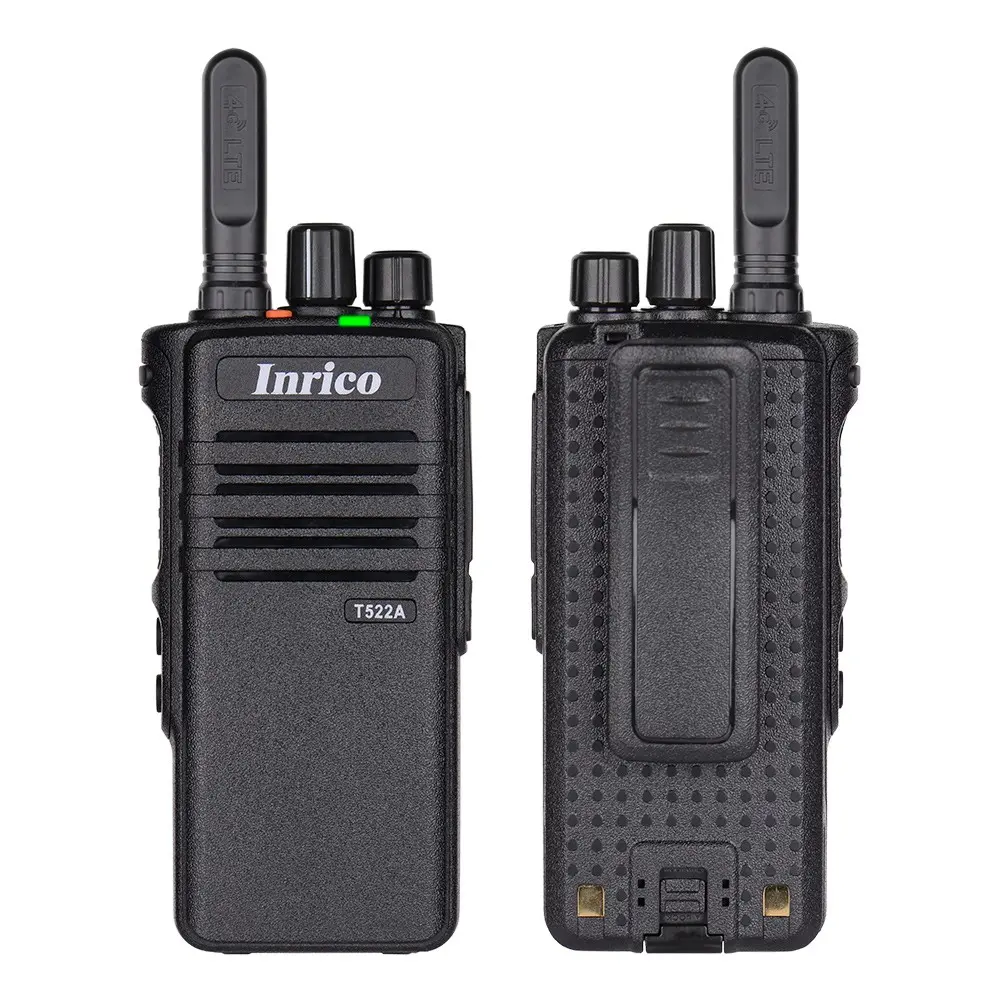
Handheld radio
Inrico T522A
No screen, one big button. The simplest radio to hand someone.
$220.00
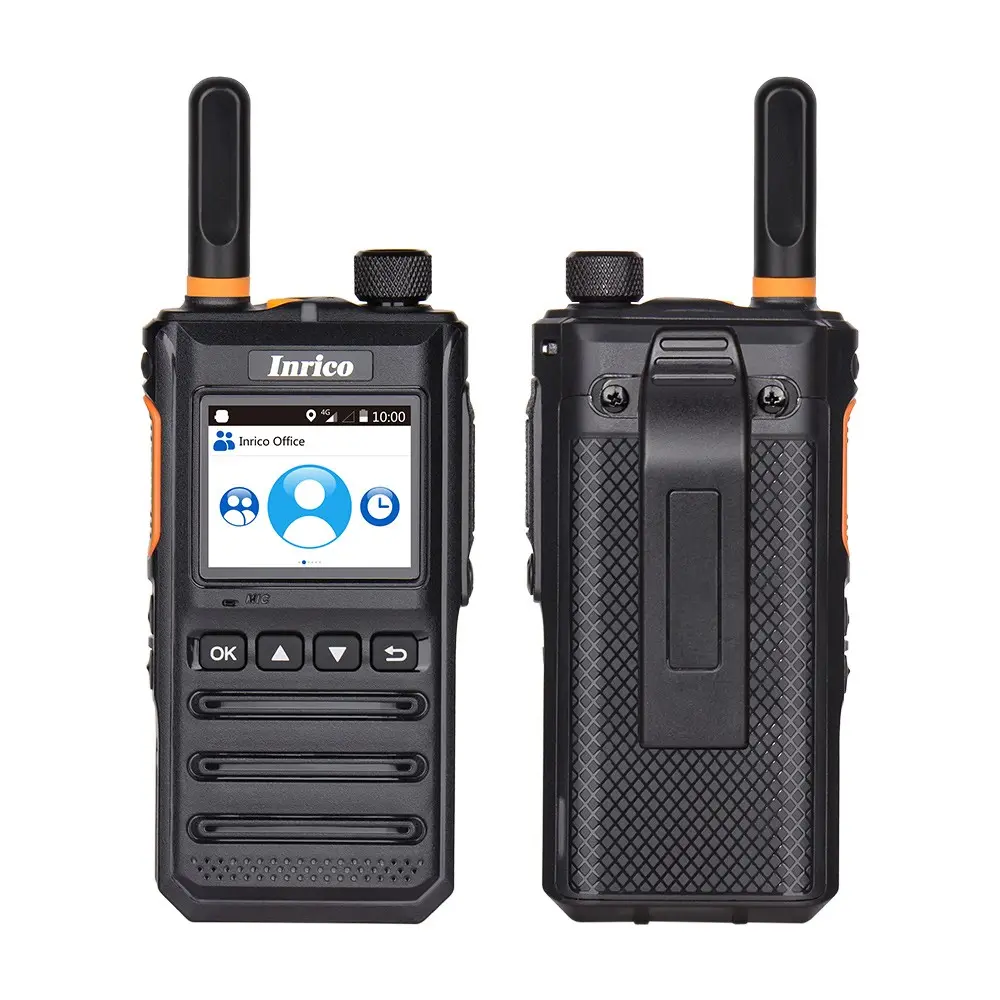
Handheld radio
Inrico T640A
A slim everyday radio with a screen. Our lowest-priced handheld.
$199.00

Handheld radio
Telox TE320
A rugged, IP68 radio with a color screen and a two-day battery.
$259.00
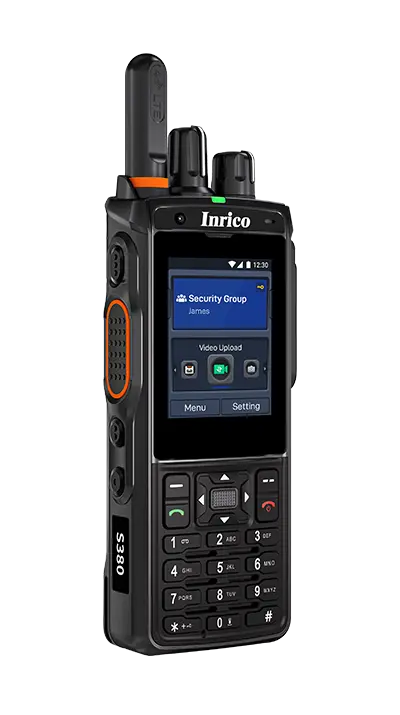
Handheld radio
Inrico S380
For supervisors and patrols who need a screen, a keypad and NFC check-in.
$360.00
Recommended solution
What we would recommend
Managed Zello Plus on small radios is usually the right fit, because Emergency Alerts and Translations suit care teams. Smaller communities often start on Core, and a front desk or nursing station can add a Dispatch Hub seat.
Questions
Questions senior living teams ask us
What executive directors and care managers want to know before they put radios on the floor.
Will this disturb residents?
Staff wear an earpiece, so traffic stays out of rooms and common areas, and fewer messages need the overhead page. Each team also has its own channel, which keeps unnecessary chatter down.
Does it replace our nurse call system?
No. Nurse call, emergency call and life-safety systems stay exactly as they are. Managed Zello is for staff coordinating with each other, and an Emergency Alert on Plus is not a substitute for 911 or code-required systems.
Can resident information go over a channel?
Ask us before you plan on it. Whether resident details can be shared depends on your privacy policies, how the account is configured and the agreements in place, so review it with your compliance lead during setup. A common approach is to use room numbers and keep clinical detail off the channel.
Does it work through the whole building?
Radios use Wi-Fi and cellular, which usually reach further than a single repeater in a building with several wings. We check coverage at your address and test on site where signal is a concern.
How long does it take new staff to learn?
Not long. Radios arrive with channels loaded and named by team, and the person presses one button to talk. When someone leaves, we remove them from the network and the radio is ready for the next person.
Related
Related industries

Hospitality
Housekeeping, engineering, valet and the front desk need each other quickly and quietly. Zello on earpiece-ready radios keeps that traffic out of guests’ earshot.
Read more

Facilities and property management
Maintenance teams cover several buildings on one managed Zello account, reachable at every property without a radio system at each site.
Read more

Security
Officers work alone across large sites and long shifts. Zello gives every guard one-button contact with a supervisor, a live location, and Emergency Alerts on Plus.
Read more
Get started
Tell us how your team works today
Send us your community list and how staff reach each other today. We will come back with coverage, hardware and pricing in one document.